Practice Management Software for UAE Accounting Firms
Track every VAT, Corporate Tax and compliance deadline in one place. Build workflows that send reminders, create tasks, and keep your team on top of every client.
No credit card Required.
Built for firms working across mainland and free zones.
Why accounting firms in the UAE use Kema
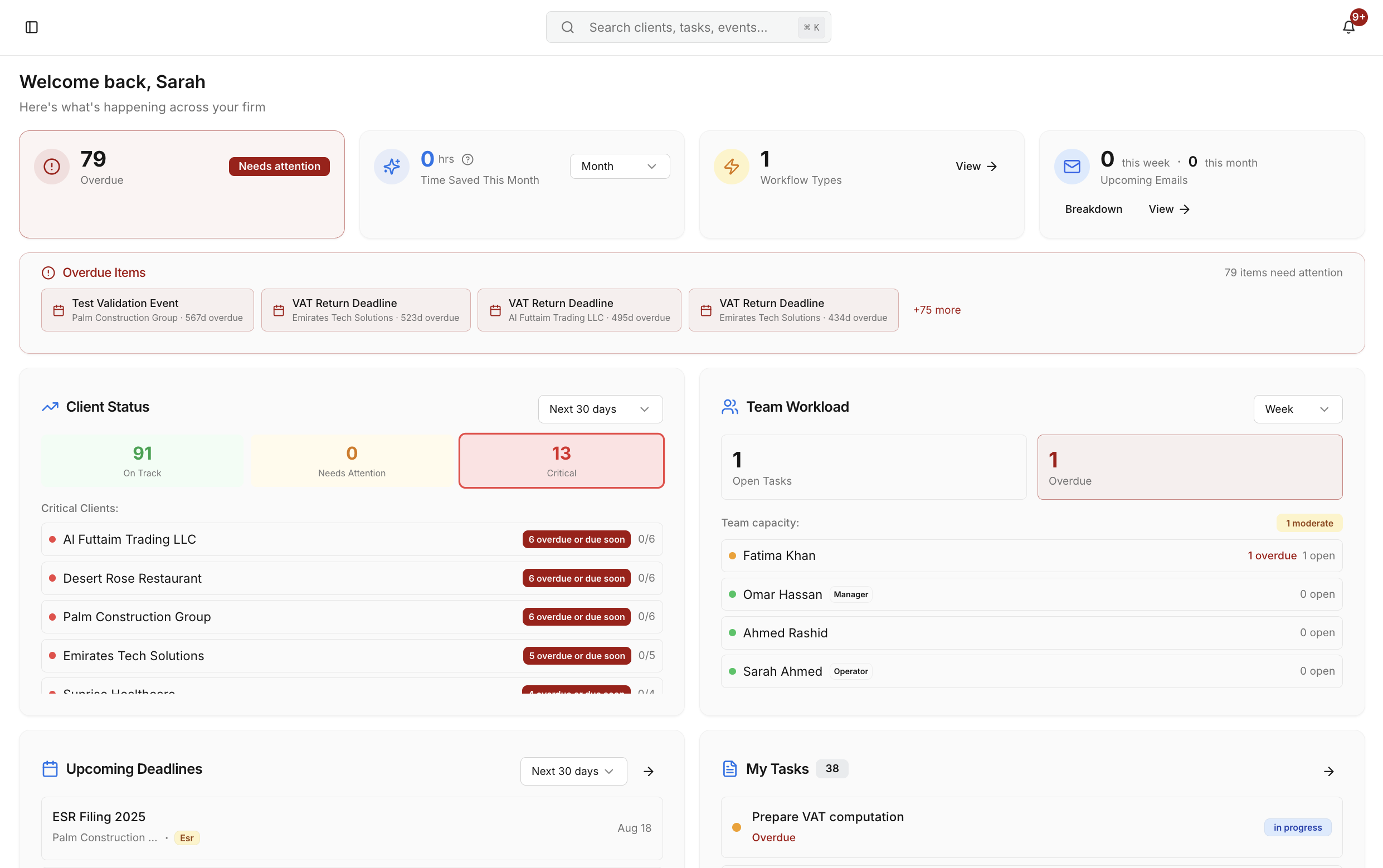
Running a firm on spreadsheets, shared calendars and WhatsApp is risky. It works – until it doesn't.
Important dates are scattered
VAT, Corporate Tax, ESR, payroll and license renewals live in different files and people's heads.
Follow-ups are manual
You spend hours chasing clients and reminding staff instead of doing higher-value work.
No shared view
Partners and managers can't see what's due this week across the firm in one screen.
Generic tools don't fit
Asana and Trello aren't built for UAE compliance workflows or client-specific deadlines.
Important dates are scattered
VAT, Corporate Tax, ESR, payroll and license renewals live in different files and people's heads.
No shared view
Partners and managers can't see what's due this week across the firm in one screen.
Follow-ups are manual
You spend hours chasing clients and reminding staff instead of doing higher-value work.
Generic tools don't fit
Asana and Trello aren't built for UAE compliance workflows or client-specific deadlines.
What you get with Kema's Practice Management
Everything you need to manage client deadlines and workflows in one place.
All your important dates in one place
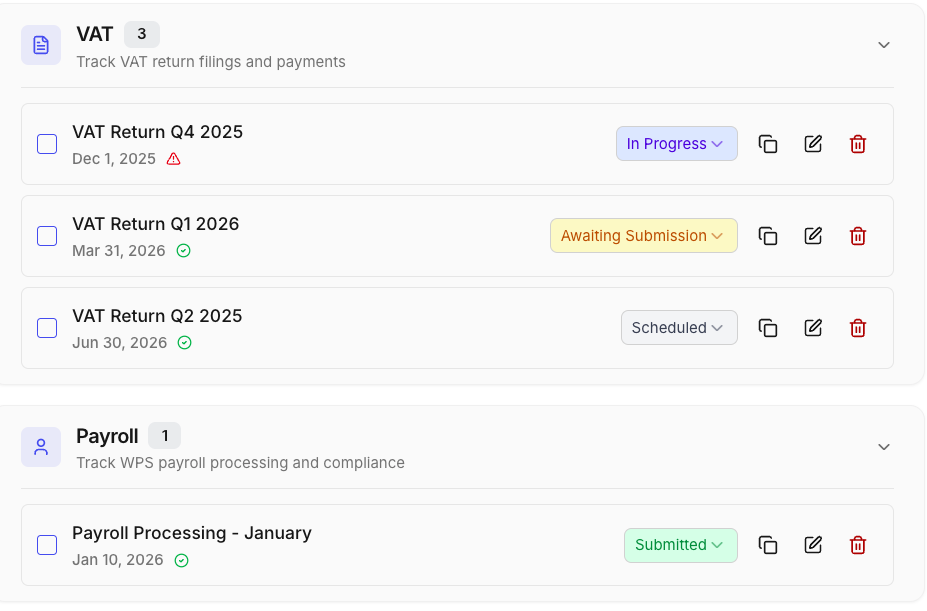
VAT, Corporate Tax, ESR, payroll and license renewals—track every important date per client on one screen. Filter by due soon, overdue, or completed.
Workflows that automate the busy work
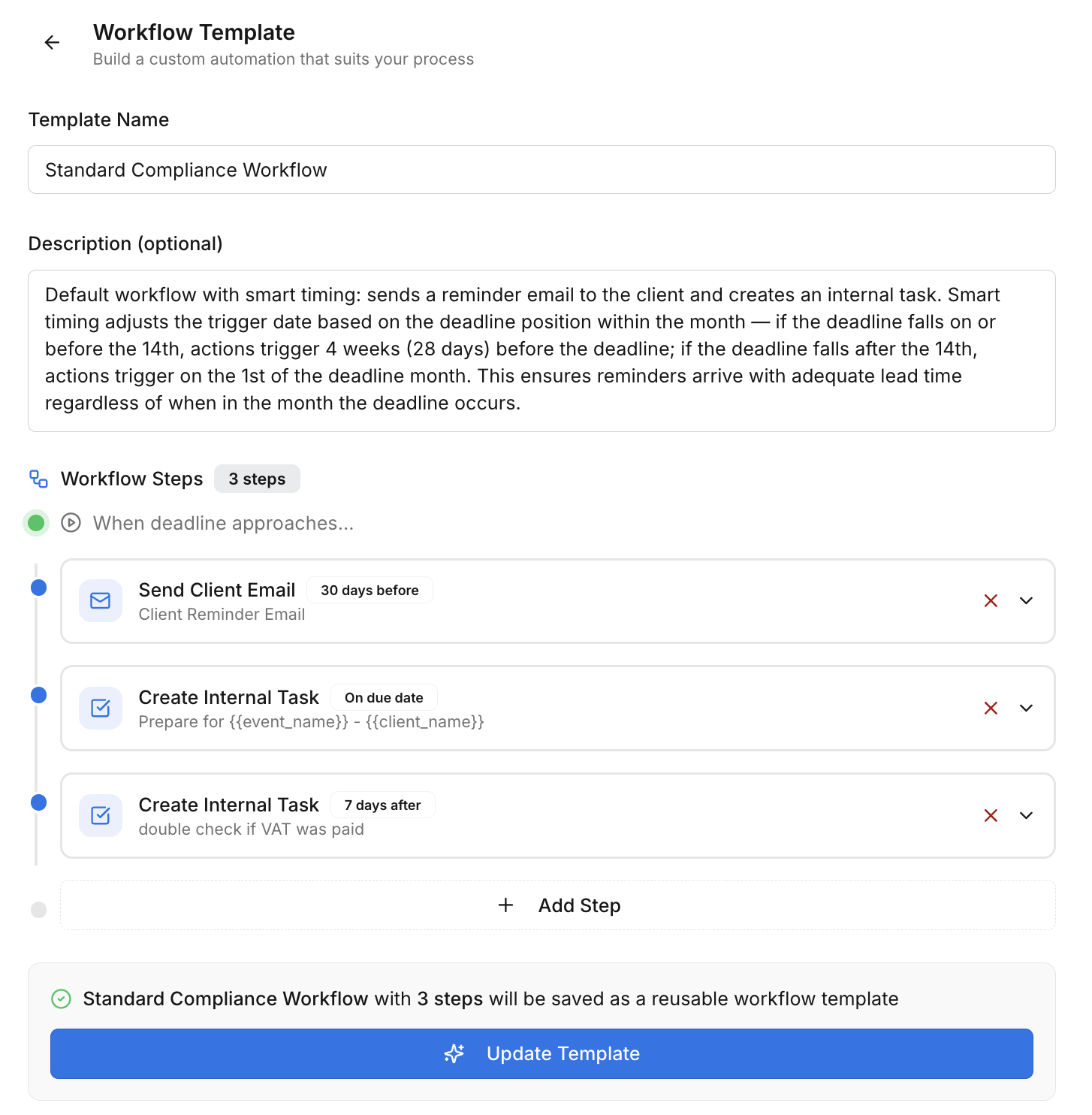
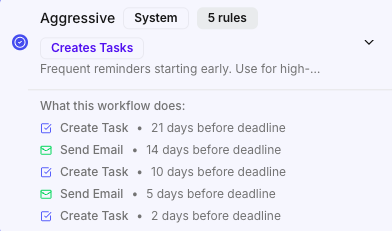
Build Workflows that create tasks for your team and send emails to clients at the right time. Choose from simple, standard, or aggressive follow-up templates—or build your own.

Clear ownership and status for every client
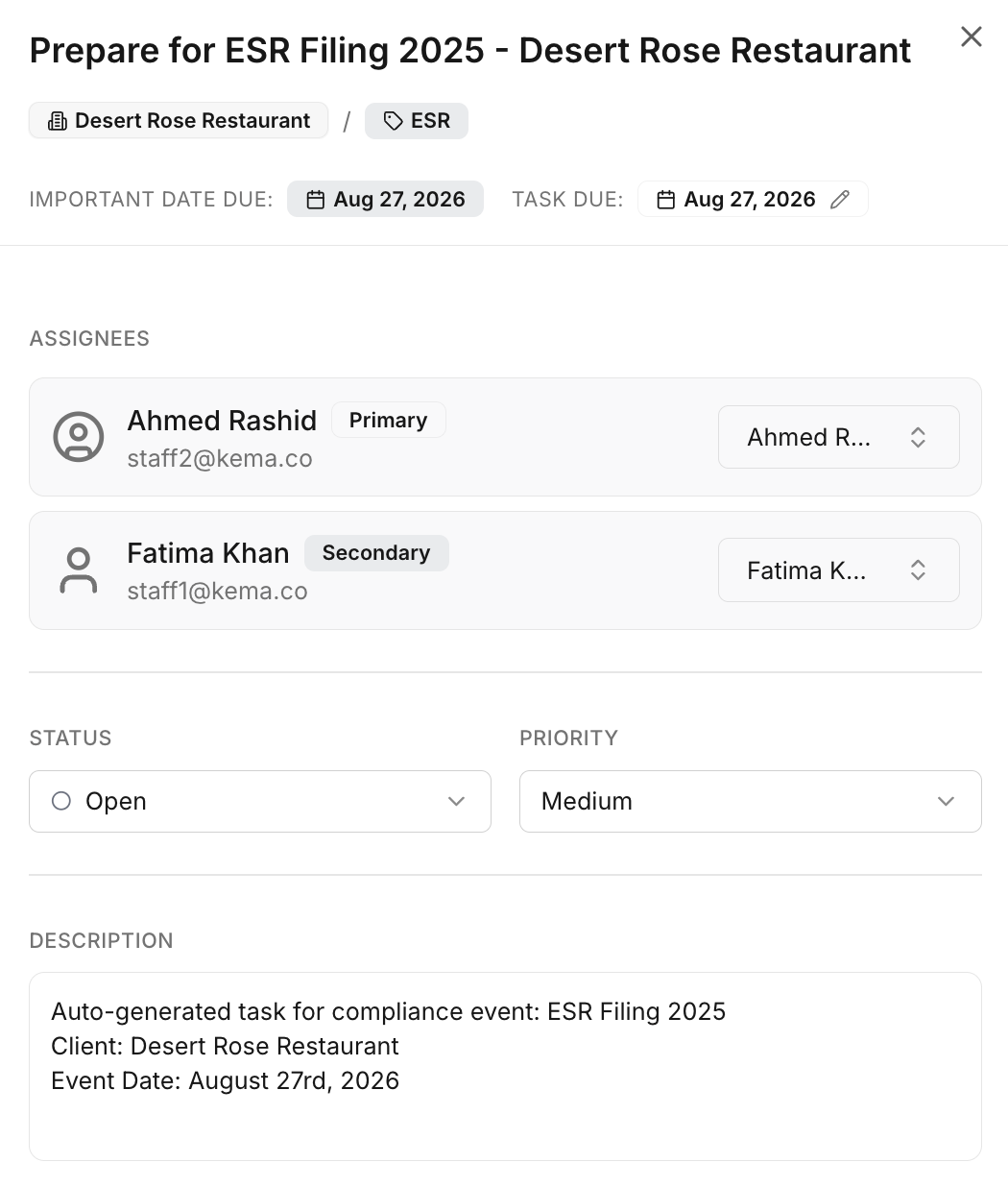
Assign owners, set due dates, and see statuses like Submitted, Not Submitted, Late, and Pending. Daily digests keep everyone aligned.
How it works
Get started in three simple steps
Add your clients & important dates
Add clients manually or import from CSV. Set VAT, Corporate Tax, ESR and license renewal dates per client. Use our smart date generation to create future important dates in seconds.
Choose or create Workflows
Pick a Workflow template (simple, standard, aggressive, thorough) or build your own. Decide when tasks and emails should go out before and after each important date.
Let the system run the playbook
Kema creates tasks, sends client emails, and updates statuses as your team works. Managers see a live view of what's due and what's at risk, across all clients. Daily digests keep the whole team on track.
Built for accounting firms, not generic projects
Kema reflects how firms are organised—by client, by important dates, and by team role.
Client workspace: Overview, important dates, workflows, tasks, files, emails and contacts in one place.
Role-based access: Partners, managers and accountants each see what they need, with proper permissions.
Email built in: Use templates with placeholders and send client reminders directly from the workflow. All emails are logged.
Reporting & audit trail: See which deadlines were met, which were late, and why. Export for review.

Frequently asked questions
Yes. You can track VAT returns, Corporate Tax filings, ESR, license renewals, payroll and more using Important Dates and Workflows.
Most firms can add their first clients and set up Workflows in under an hour, especially if you use our pre-built categories and templates.
Absolutely. Kema employs enterprise-grade encryption and secure cloud infrastructure to keep your data safe and confidential.
Yes. You can invite partners, managers and accountants, and give each the right level of access.
No. Kema sits on top of your existing accounting tools. It's for practice management—deadlines, tasks and workflows—not bookkeeping.
Yes. You can import clients from a CSV file with smart auto-detection for common field names. The import wizard will guide you through mapping your columns to Kema fields.
You set up Workflows that define when tasks should be created and when emails should be sent to clients. Kema runs these automatically based on your important dates, so you don't have to remember to follow up manually.
Yes. You can create your own email templates with placeholders for client name, due date, event name, and more. Templates can be saved and reused across different workflows.